
Nadare
Open-source Linux launcher for anime gacha games
io.github.frostlinuxdev.Nadare Beta · not on Flathub yet
The Flatpak wraps the same bundle the AppImage ships, so it behaves the same way — but your software centre installs and updates it, and it cannot see the rest of your home folder. It comes from our own signed repository, not Flathub.
About this app
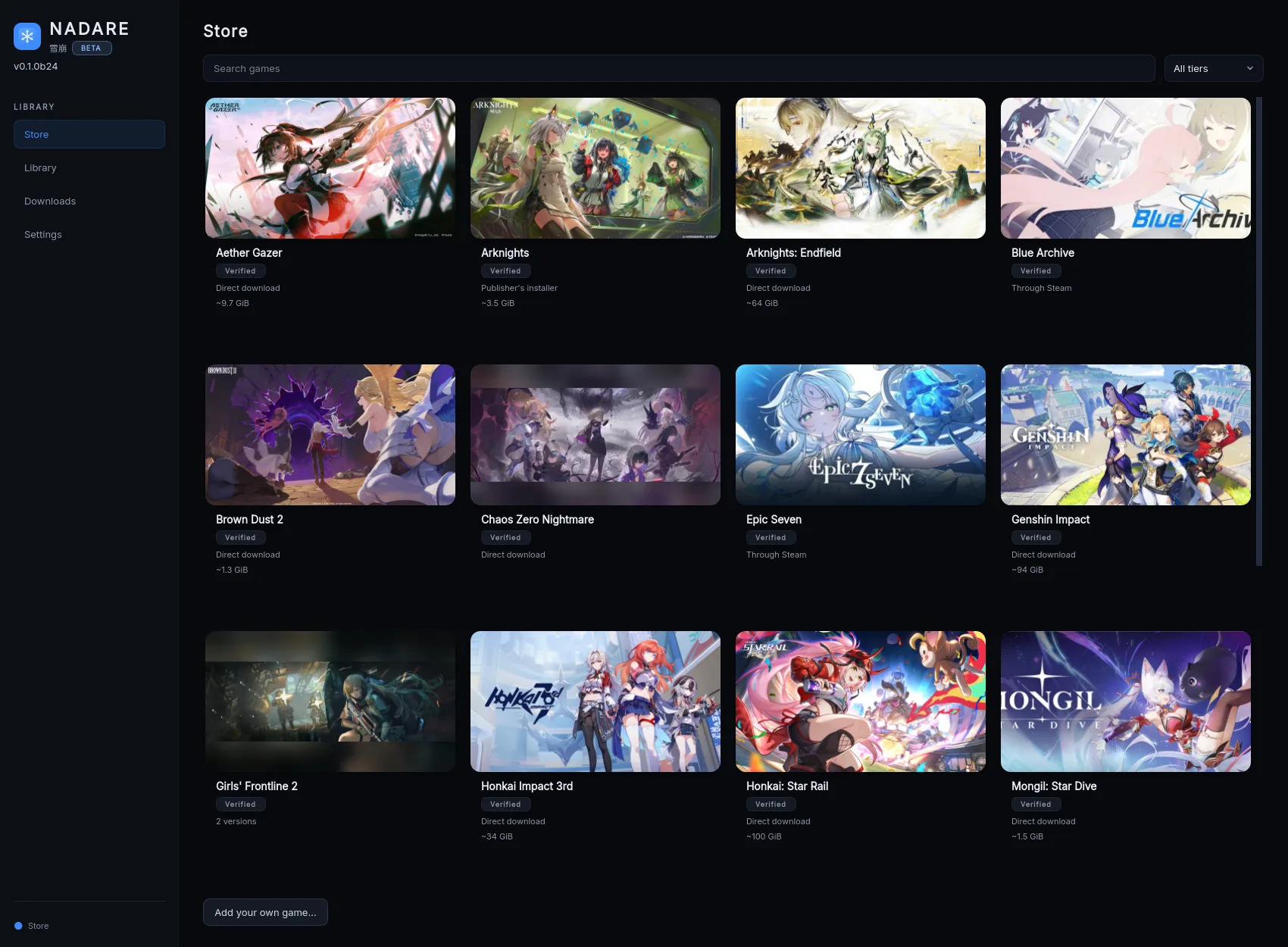
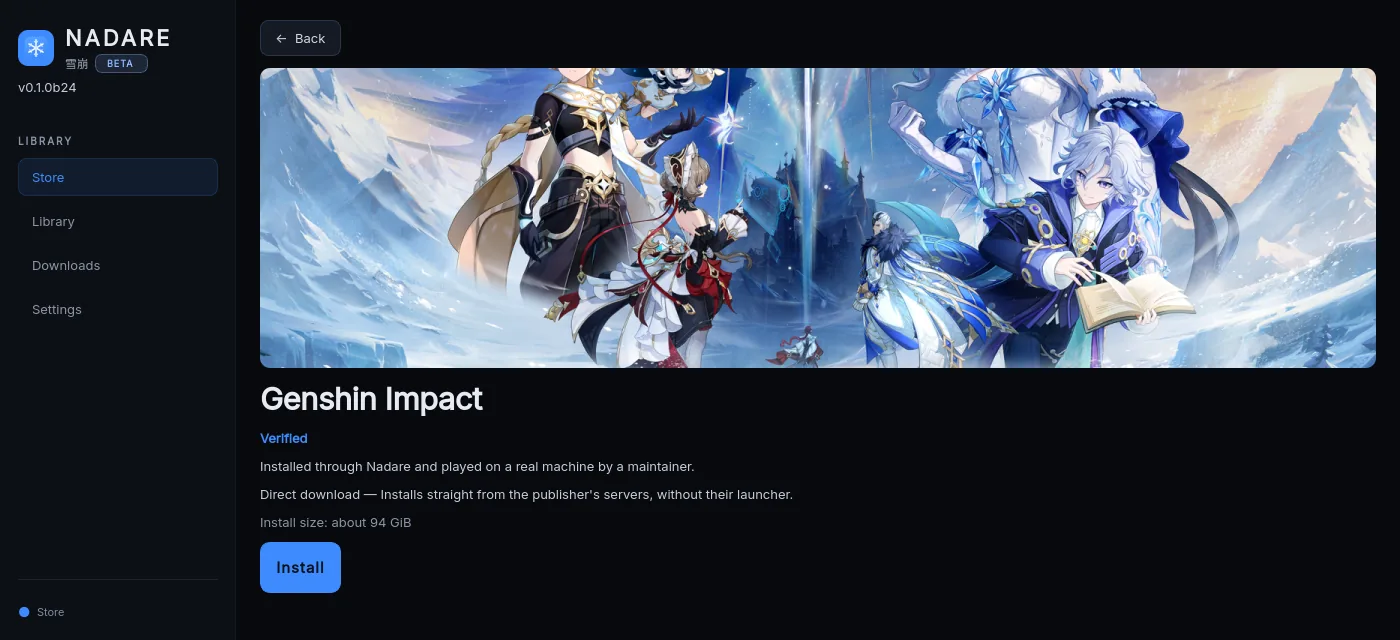
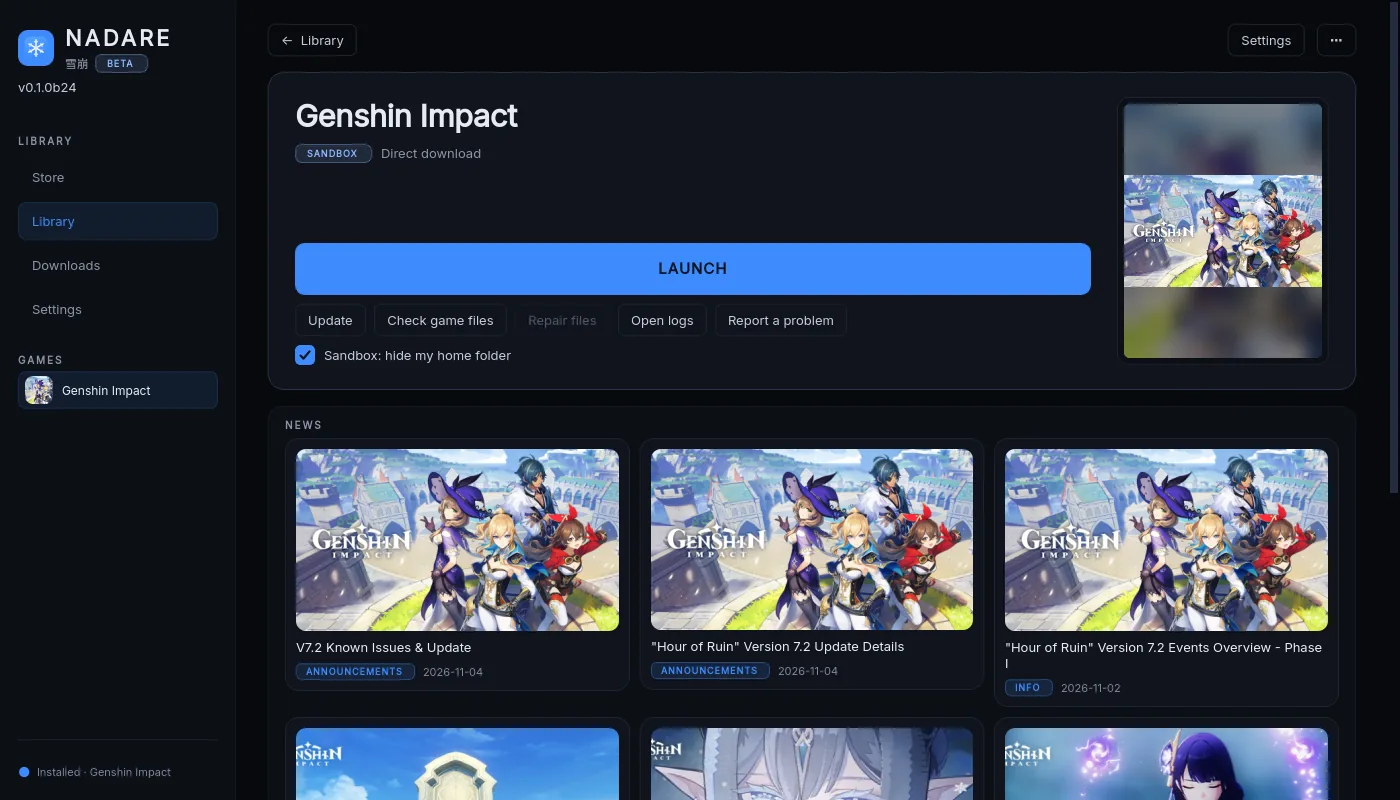
Nadare installs and runs anime games on Linux. Open the Store, pick a game, press Install, then press Play. Nadare downloads the game from its publisher, sets up Wine/Proton for you and keeps the game updated.
Games include Chaos Zero Nightmare, Arknights, Arknights: Endfield, Stella Sora, Punishing: Gray Raven, Wuthering Waves, Genshin Impact, Honkai: Star Rail, Zenless Zone Zero, Honkai Impact 3rd, Brown Dust 2, Aether Gazer, Girls’ Frontline 2, Neverness to Everness, Mongil: Star Dive, NIKKE and more.
Beta: expect bugs. Project README · Supported games · Safety and privacy
Permissions
What the manifest asks for, in plain words. It does not take your
whole home folder: game libraries go in ~/Games, on another drive, or in
Nadare’s own folder. Proton still needs the GPU, input devices and XWayland, so it
takes all devices. Each running game is walled off further by Nadare’s own
Sandbox, on by default.
-
--filesystem=~/Games:createYour ~/Games folder (made if missing) The usual place for a game library. The rest of your home folder stays out of reach -
--filesystem=/mnt, /media, /run/mediaOther drives Game libraries on a second disk -
--filesystem=xdg-data/applications, xdg-desktopMenu and desktop shortcut folders Only when you ask for a shortcut to a game -
--filesystem=~/.var/app/com.valvesoftware.SteamThe Steam Flatpak’s library Games you added to Steam -
--filesystem=xdg-data/umu:createumu’s runtime folder Where the Steam Linux Runtime that runs Proton is kept -
--device=allEvery device under /dev GPU, gamepads, input devices — Proton needs them -
--talk-name=org.freedesktop.FlatpakCan start programs on the host Nadare’s per-game Sandbox and gamescope run through it -
--share=networkNetwork access Downloads, sign-ins, the publisher’s servers -
--share=ipcShared memory with the host Some Proton and DXVK paths need it -
--allow=per-app-dev-shmPrivate shared memory Games that use big shared buffers -
--allow=multiarch32-bit libraries Most of these games are 32-bit or ship 32-bit components -
--socket=waylandWayland display Native Wayland games, flicker-free -
--socket=x11X11 / XWayland display Games that need X11, and desktops without Wayland -
--socket=pulseaudioSound Game audio -
--talk-name=org.freedesktop.secretsSecret Service Account logins go to the keyring, never to a file -
--talk-name=org.kde.kwalletd5KWallet (Plasma 5) Keyring on KDE -
--talk-name=org.kde.kwalletd6KWallet (Plasma 6) Keyring on KDE -
--talk-name=org.freedesktop.NotificationsDesktop notifications Tells you when an install, update or repair finishes
Runtime extensions
-
org.freedesktop.Platform.Compat.i38632-bit runtime libraries, required by the games and by Proton -
org.freedesktop.Platform.GL3232-bit GPU drivers (Vulkan/GL), downloaded for the driver you are using
Additional information
| Application ID | io.github.frostlinuxdev.Nadare |
|---|---|
| Version | 0.1.0b24 |
| Type | Desktop application |
| Branch | master |
| Runtime | org.freedesktop.Platform 25.08 |
| SDK | org.freedesktop.Sdk |
| Licence | GPL-3.0-only |
| Developer | Nadare contributors |
| Download size | about 80 MB (plus the Freedesktop runtime on first install) |
| Data directory | ~/.var/app/io.github.frostlinuxdev.Nadare |
Notes on this Flatpak
- Your personal files stay out of reach. The Flatpak sees ~/Games, your other drives and its own folder — not the rest of your home (no ~/.ssh, browser profiles or password stores). A game library somewhere else is refused with the one command that allows it. Nadare’s own Sandbox (on by default) then walls each running game off further: it sees only its own game folder.
- Flatpak owns updates. The app never offers to download a new AppImage; your software centre or flatpak update does that.
- Coming from the AppImage. A Flatpak keeps its data under ~/.var/app/io.github.frostlinuxdev.Nadare, so it starts empty next to an AppImage you already use. The next AppImage release after 0.1.0b24 adds a one-time “Move to the Flatpak” button in Settings (and nadare move-to-flatpak) that moves your setup across, games included. Until then, keep using one of the two.
- 32-bit parts come from Flathub. On first start Nadare checks for the 32-bit libraries and graphics package and offers an Install button if they are missing; it adds Flathub for you if needed.
- Our repository, not Flathub (yet). flatpak.nadare.app is signed with the project’s own key. A Flathub submission has not been made.
Version history
Flatpak build dates; they can differ from the AppImage release dates on the News page.
- 0.1.0b24 2026-11-15
- 0.1.0b22 2026-11-09
- 0.1.0b21 2026-11-07
This is the flatpak build’s own history, from the appstream metadata. The AppImage
release list is on News.
Beta
It is new: expect rough edges, and tell us what breaks. A Flathub submission comes
later. Use the AppImage or the Flatpak, not both: they keep separate settings and game
lists. A one-time move from the AppImage arrives with the next AppImage release.