
A real Store
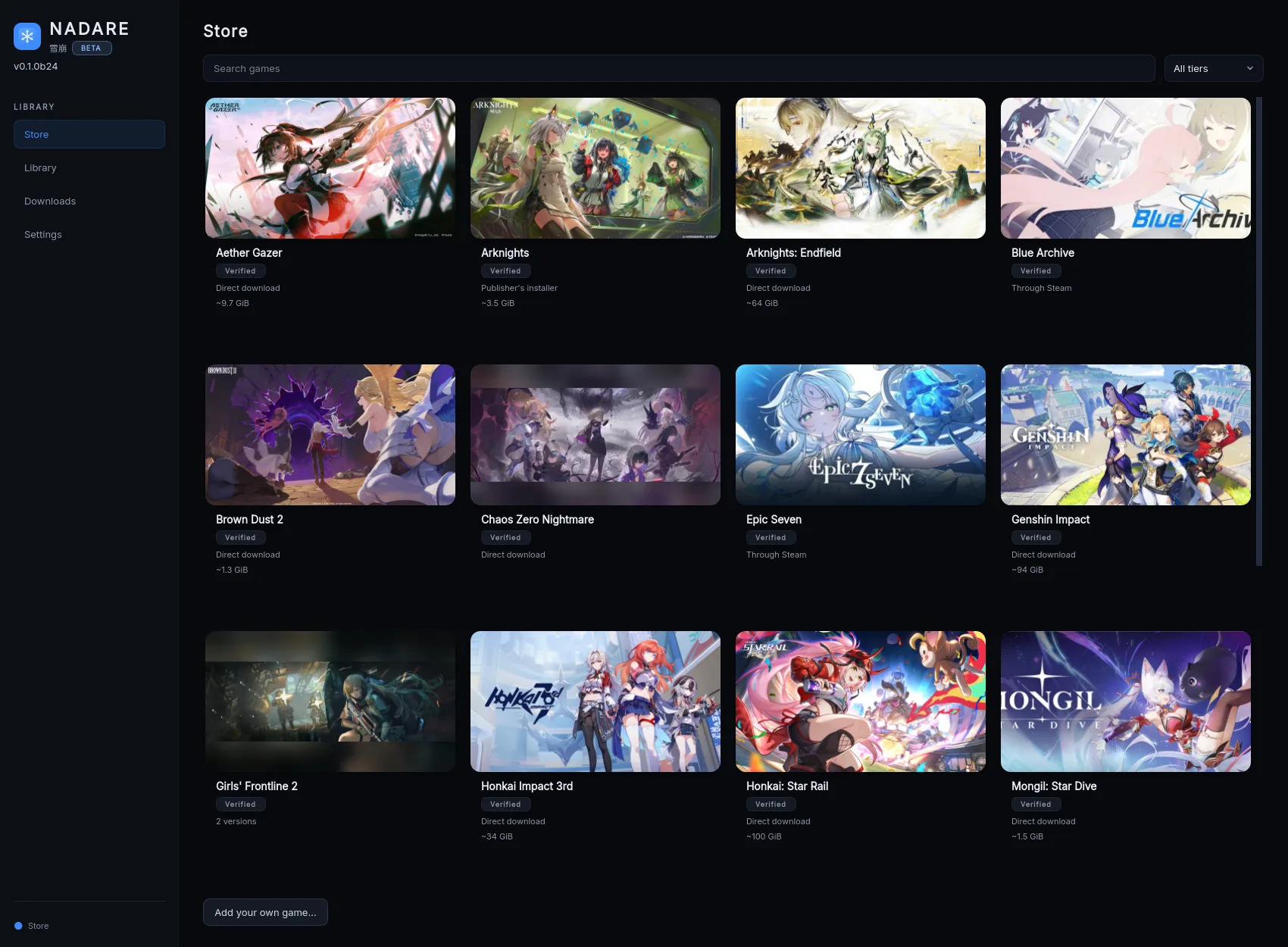
Every supported game on one grid, with a support tier on each card. Pick a game, choose where it goes, press Install.
Nadare is our own open-source launcher. Pick a game, press Install, then Play. It downloads supported games from the publisher and handles the setup and updates for you. 21 supported games in one app.
From FrostLinux, a Linux gaming guides and gameplay channel with 100,000+ total channel views on YouTube.
The boring parts done once, so the game is the only thing left to press.
Every supported game on one grid, with a support tier on each card. Pick a game, choose where it goes, press Install.
Nadare talks to the same servers the official launcher does, so the game comes from where it always came from — not from a mirror.
Nadare installs the compatibility tools each game needs, so you do not have to configure them yourself.
Each game keeps its own settings, files and logs. Move it to another drive later without reinstalling it.
Check for updates per game, verify files, repair, and resume an interrupted download instead of starting over.
Game logins use your desktop’s password safe when available. Logs and support reports hide sign-in secrets.
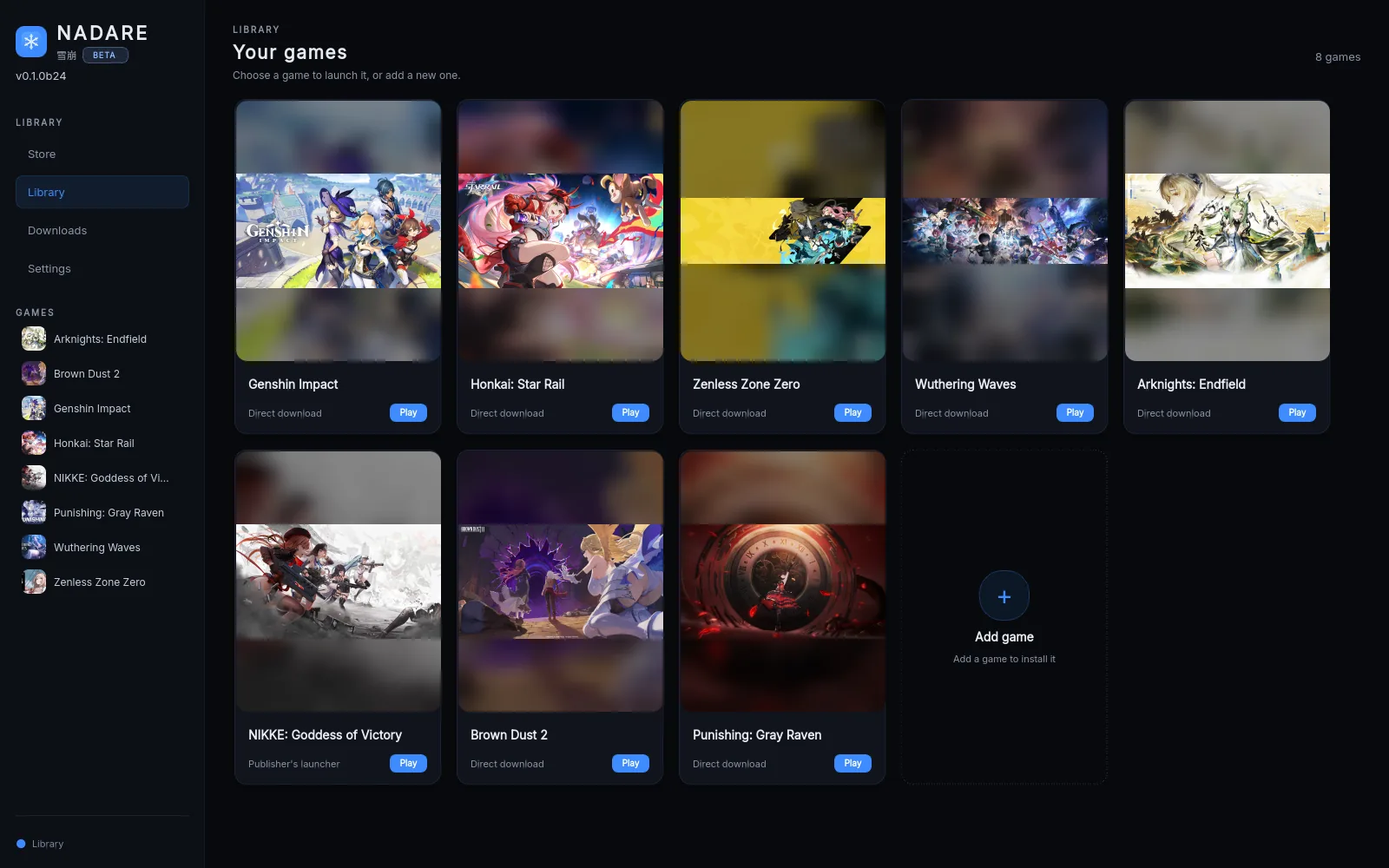
Installed games live in the Library. Play starts the game; the sidebar keeps them all in reach.
The Sandbox, on by default. It helps keep supported games away from your personal files while they play. Games still have network access. You can change this setting on a game’s page. How it works.
Genshin Impact, Honkai: Star Rail, Zenless Zone Zero, Wuthering Waves, NIKKE, Arknights: Endfield, Brown Dust 2, Chaos Zero Nightmare, Girls’ Frontline 2 and more — plus the ones you already own on Steam.
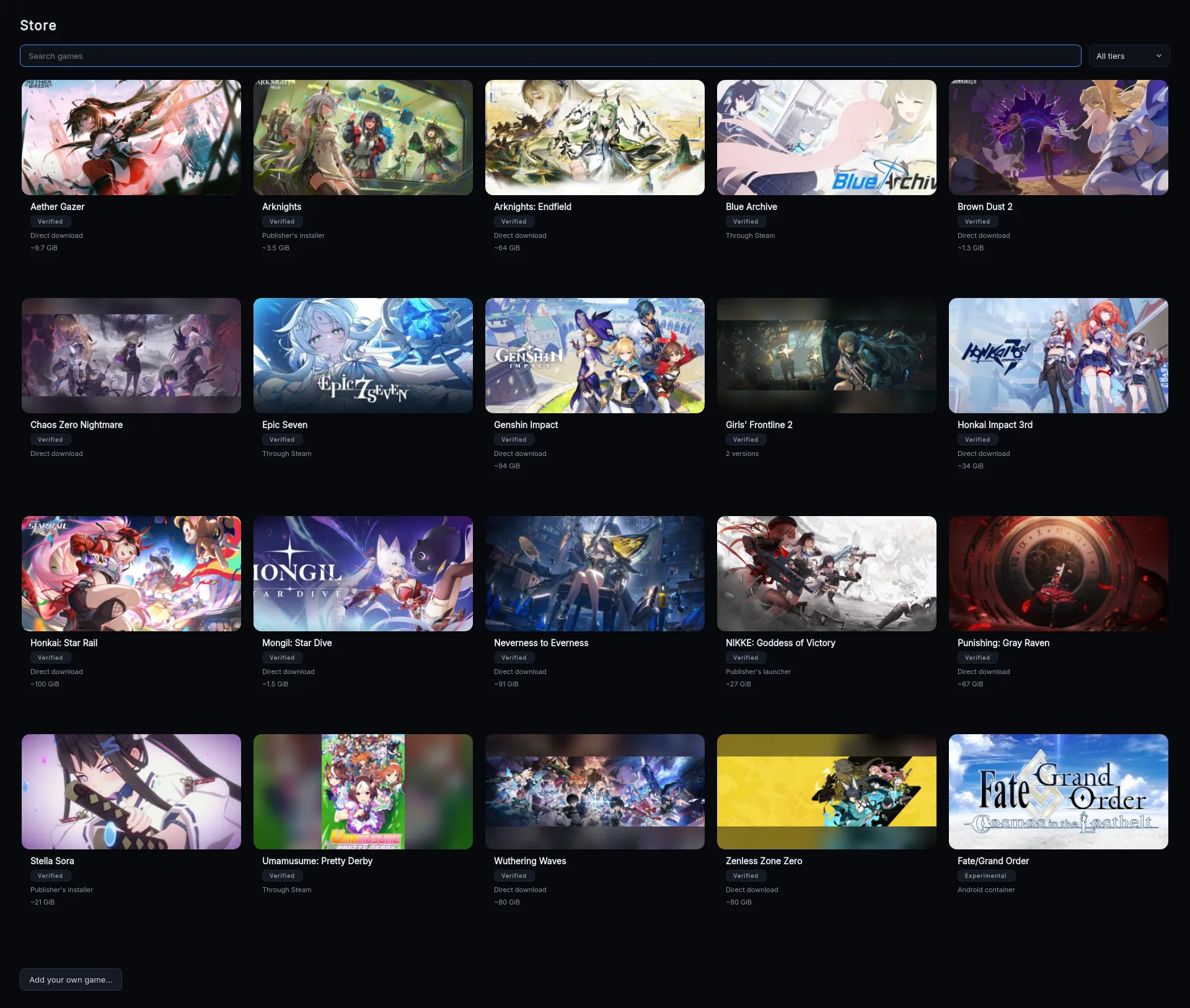
Verified means a maintainer installed it through Nadare and played it past the title screen on a real machine.
From zero to a game window. The full walkthrough, with pictures, is Start here.
Use the recommended installer above. Your software centre handles installation and updates.
Open the downloaded file and press Install in your software centre. Then open Nadare from your app menu.
Open the Store, pick a game, choose a folder, press Install. Games that need a login ask for it on their page.
If the installer does not open, follow the Flatpak setup help. A portable AppImage is also available.
Nadare’s built-in system check explains what is missing and how to fix it. Each game also has an Open logs button and a Report a problem button when you need help.
Start with Help and fixes. You do not need to learn the technical terms before installing a game.
The doctor command checks graphics drivers, 32-bit support, the game runtime and your desktop’s password safe.
Nadare needs a Linux x86_64 desktop with glibc 2.35 or newer (Ubuntu 22.04+, Debian 12+, Fedora 36+, current Arch) and working Vulkan drivers, including 32-bit support.
~/Downloads/Nadare-*.AppImage doctor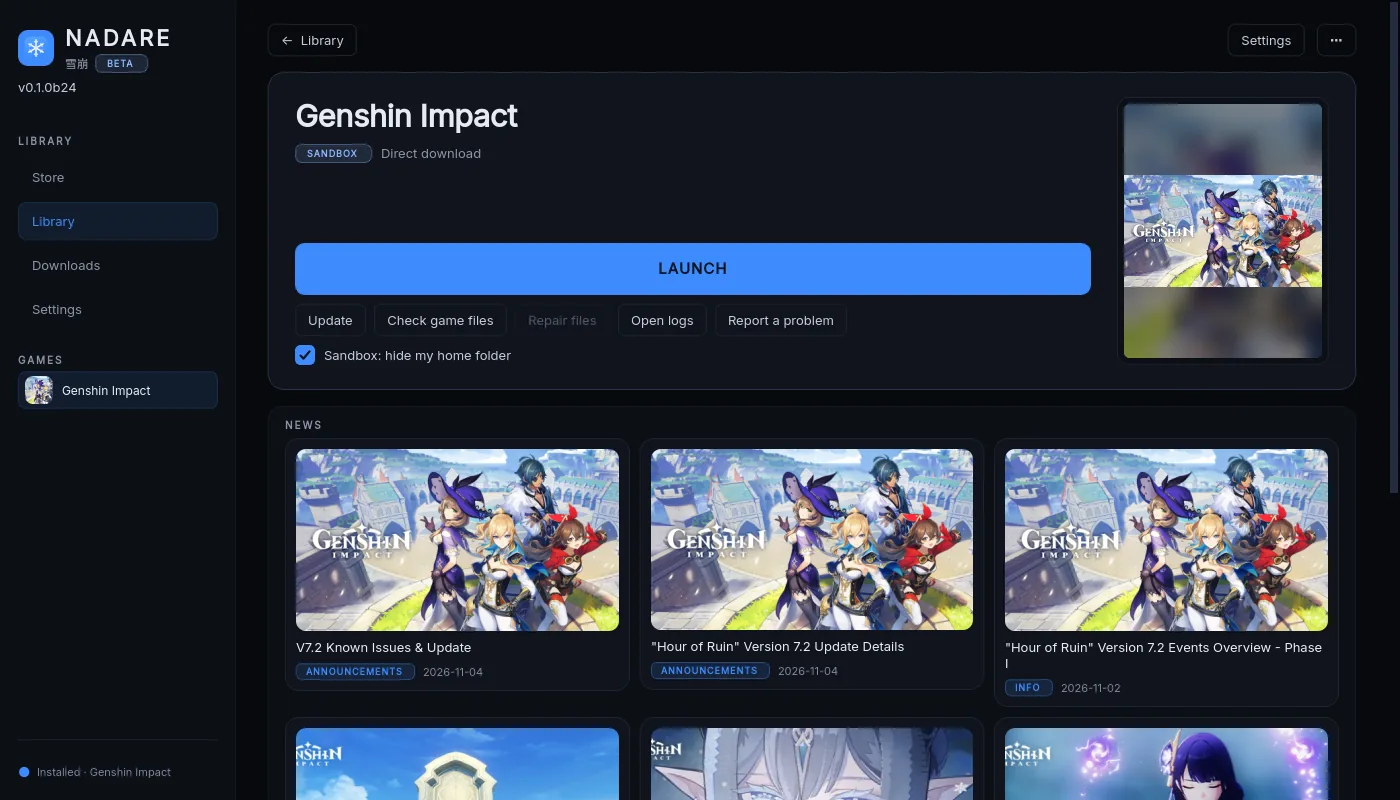
Unofficial. Nadare is community software, not affiliated with, endorsed by or supported by any publisher. Game names and trademarks belong to their owners. Safety and privacy notes.
No. Nadare brings its own Proton runner and its own runtime. Steam is only involved for the three games the Store offers “Through Steam”, where Nadare sets the game up but does not install Steam.
We have no reports of it, and nothing here touches anti-cheat. Nadare signs in as you from a normal client and changes nothing inside the game. It is still unofficial software standing in for the publisher’s launcher, and their terms are theirs to enforce — so it is your call, made with that in mind.
Start with the Games folder in your home folder. The Flatpak can use that folder or another mounted drive; other locations may need permission. You can move a game to another drive from its page later.
The AppImage updates itself: Nadare tells you when a new release is out, and the Update button installs it only when its signature is valid, keeping the old file as a backup. The Flatpak is updated by your Software app.
There is a Flatpak (beta) from our own signed repository, flatpak.nadare.app — not on Flathub yet. There is no AUR package yet: a recipe is ready and waits for the AUR to reopen sign-ups.
NVIDIA on CachyOS and AMD (RX 7900 XTX, Mesa, Debian 13) with real game runs. The AppImage starts on Ubuntu 22.04, Debian 12, Fedora 43, Arch and Mint 22.1. Real game runs on Intel GPUs are not verified yet.
More in Help. Found a bug? Open an issue
with the redacted log and doctor output.
One app. One window. 21 games.
Free and open source · Signed AppImage downloads · How to verify a download